


Premium ParkingRethinking checkout flow for upsell products in TextPay and CameraPay
- Timeframe
Aug 2021-Jul 2022 - Role
Lead Product Designer - Responsibilities
Research, UX Design, Usability Testing, Development hand-off - Team
Company President, Director of Business Intelligence, Director of Product Experience, Lead Product Designer (me), 2 Front-End Developers, Development Team Lead, 2 Back-end Engineers, Project Manager
Premium Parking is digital parking solution in the US, with over 500 employees and $105.7M in annual revenue.TextPay and CameraPay are simplified versions of the web application of Premium Parking, oriented to checkout-flow. Works anywhere with instant launch without any downloads.
Challenges and goalsIncrease revenue by upselling products from partners to customers
- We had goals:
- Integration with Travel provider
- Integration with Insurance provider
- Convert customers into loyal clients
- Establish flexible checkout options for varying rates and product combinations
- Ensure consistency with other premium products
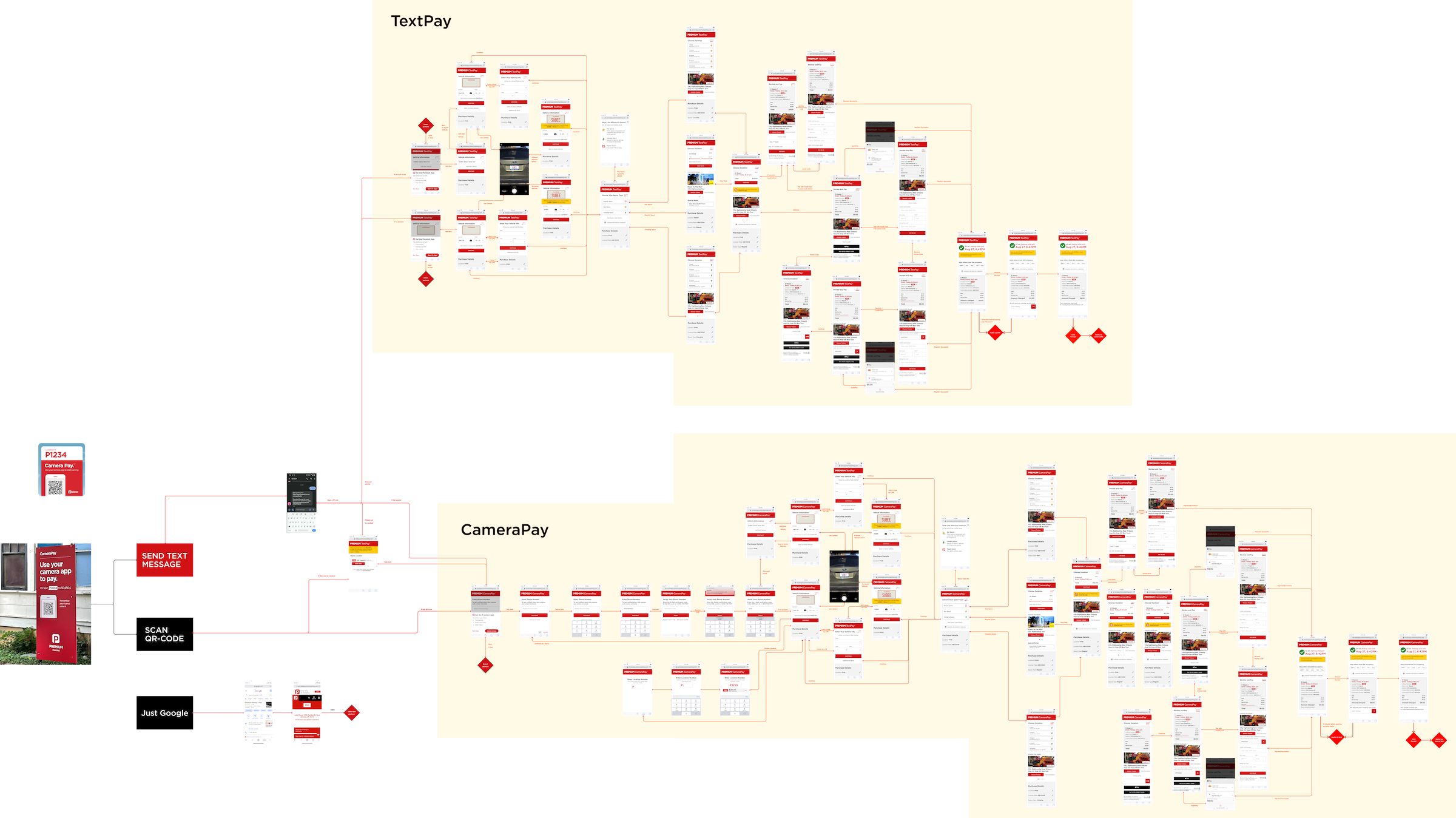
Besides, the next big challenge was the launch of a CameraPay, based on TextPay. The difference between products in auth flows. In CameraPay the process starts with scanning the location's QR Code. So, we know the location number, and we need to identify the customer or not.
View Results
Holistic approach for a complex challenge
The team was well versed in the product, design system, and code base. I was responsible for all design initiatives. I mapped out the user's journey, designed ideas, user validation, iteration, prototyping, and crafted high fidelity prototypes throughout all stages of the project. Also, I directly collaborated with partner's teams to understand integrations requirements.
Design ProcessResearch
Just suggesting the partner's products for customers during the checkout flow wouldn't bring the 100% desired outcome. It had to be a coordinated effort in multiple phases of the checkout steps.
What we already have
Customers send a text message with a location number (ex: P110) to the SMS gateway. The platform identifies the customer by phone number and sends back a link to a simplified checkout flow.
First, I looked at what already exists in the old version of TextPay. TextPay has lots of design issues, but it should not interfere with analyzing the it.


Examples of the previous version of TextPay
Feedback
I have gathered the feedback and most common issues from customers which collected in freshdesk.
- Customers made mistakes with parking lot numbers
- Customers don't remember their vehicle license plate numbers
- No signal on the underground parkings
- No convenient payment methods (Apple Pay, Google Pay)
- Inconvenient to fill each time payment & vehicle info
Statistics
We had some data insights from the BI team, Google Analytics, and specific experiments that was successful on mobile and web apps. I extracted useful data:
- The majority (75%) of TextPay users have 1–2 transactions
- 32% of users extend sessions
- 12% of users residents from another state/country
So, about 25% of users can be converted to mobile app users, and get more information about them later. Also, increased mobile apps users would reduce the cost of reminders and could increase engagement.
Residents from another states and users with 1-2 transactions (road trippers) are potential users of Travel products.
User stories- Thanks to detailed feedback, I have formulated user stories
- As a user, I want to provide my vehicle information during the parking reservation process, ensuring that the parking space is suitable for my vehicle
- As a user, I want to have options for choosing the duration of my parking session, giving me flexibility based on my needs
- As a user, I want to be able to select various payment options for my parking session, making it convenient and secure
- As a user, I want a user-friendly interface that allows me to correct any typos or errors in the reservation process
- As a user, I want the parking reservation process to be a coordinated effort, with multiple steps to ensure a seamless experience
- As a user, I don't want to make mistakes when entering parking location number or vehicle information
- As a user, I want to be notified if there is no internet connection during the parking reservation process, ensuring that I am aware of any potential issues that could affect the completion of my reservation
- As a user, I don't want to fill in Vehicle information each time
- And new ones for partner products
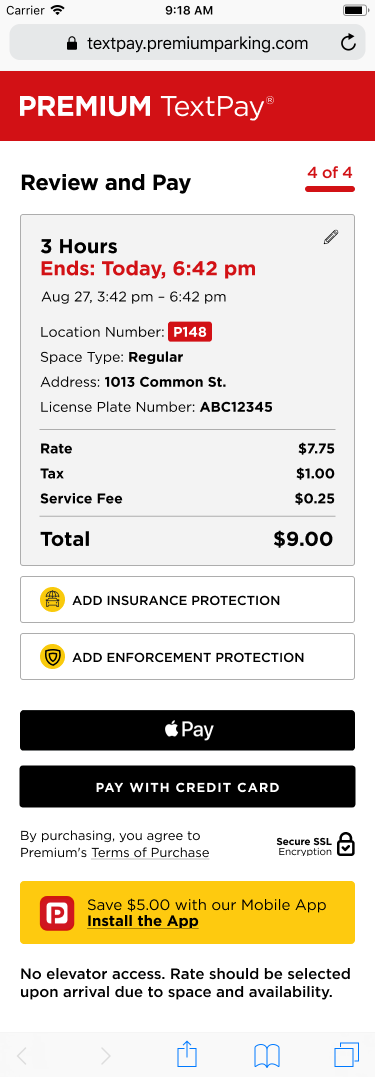
- As a user, I want to be covered with a vehicle insurance option during the parking session
- As a user, I want to buy tickets for nearby travel activities during the parking reservation process, providing me with convenient options to explore the area during my visit
We started with dividing core flow into processes and then went through each process step by step. I've prepared Jobs Map to dig into the desired outcomes and challenges faced for more insight into what impacts the job to be done. The jobs map helped take the customer’s perspective, rather than stack on solutions from partners and old version of the TextPay.

Designing the solutions
Thankfully, we had already the Premium Design System, which we build with Southleft during rebrand. So, having a jobs map, user stories and the design system, I was able to quickly build a prototype of the core flow.
I upgraded numerous scenarios during the design phase, introducing new states and components. The primary focus was on refining the duration and Vehicle screens, as well as streamlining the authorization flow.
Just some design details


- Updates to the Vehicle Info screen
- Removed the signup link; we detect or create an account during the initial step
- Added a field for entering the License Plate Number as input
- Included License Plate State, reducing confusion in cases where identical numbers exist
- Enhanced the visibility of steps (3-4, depending on the location)
- Added an option for users who do not remember their License Plate Number
- Improved consistency with other Premium products
- Display saved vehicles if an account already exists
- Resolved accessibility issues


- Improvements to the Duration screen
- Moved 'Apply Promo Code' to the Payment Screen
- Added the option to view and modify details from previous steps
- Included the option to go back to the previous step
- Clarified the call-to-action (CTA) 'View Rate'
- Added the option for Monthly Parking, redirecting to the Web app
- Enhanced the visibility and clarity of steps
- Resolved accessibility issues
- Increased consistency with other Premium products


- Improvements to the Payment screen
- Added more convenient payment methods: Apple Pay, Google Pay
- Included a summary for review before payment
- If payments methods are not detected, we will display the credit card fields
- Customers are now able to view the summary and payment buttons on a single screen
- Added tax and fee rows
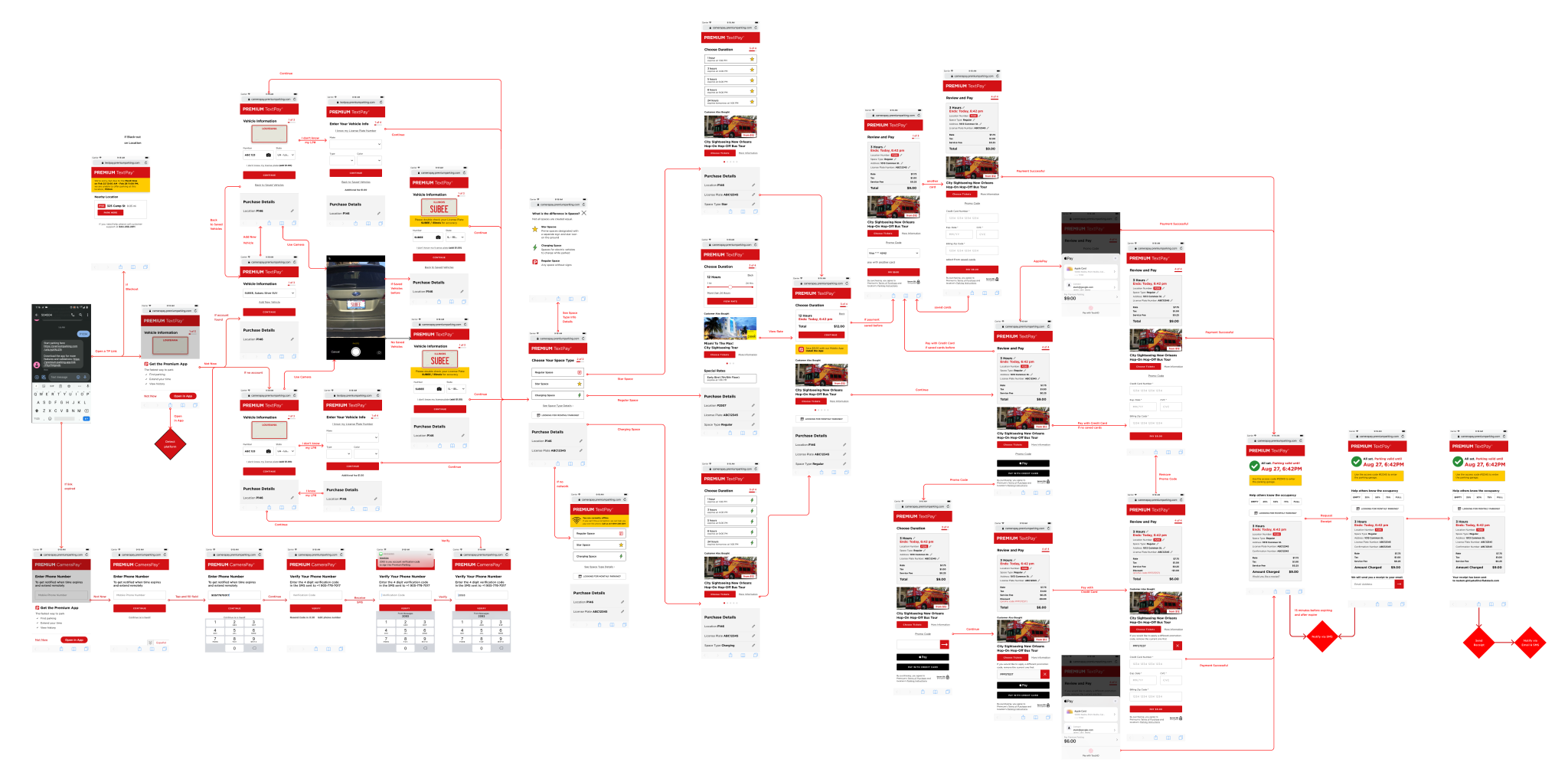
- What has been done at the first iteration:
- Added app download suggestions without losing any entered information, and offered discounts through the wallet to encourage customer migration to the mobile app
- Allow payment for parking without creating an account
- Reserved a "space" for Travel Partner's products
- Suggested nearby locations during blackout situations
- Added Apple/Google Pay as payment methods
- Added parking space types with an explanation of the differences
- Enabled customers to modify entered information at any stage
- Allocated "space" for additional information and service messages
- Enabled payment for parking without entering a license plate number
- Fixed a dead-end scenario if the client used the old link. Users had to resend a text message, which was generally not obvious. Additionally, nothing could be done using the link itself
I conducted prototype testing sessions with small businesses and Premium staff who use TextPay or mobile apps daily, in order to validate the initial design and hypotheses. The findings were thoroughly analyzed, leading to further adjustments in Figma.
Key performance indicators (KPIs) evaluated included step completion, success rate, and time spent on each step.
Subsequently, I dedicated my efforts to detailed work involving Travel Partner's products. Following an API investigation, we identified three distinct product types, for each of which I developed prototypes. Additionally, I made several adjustments following the second round of testing.
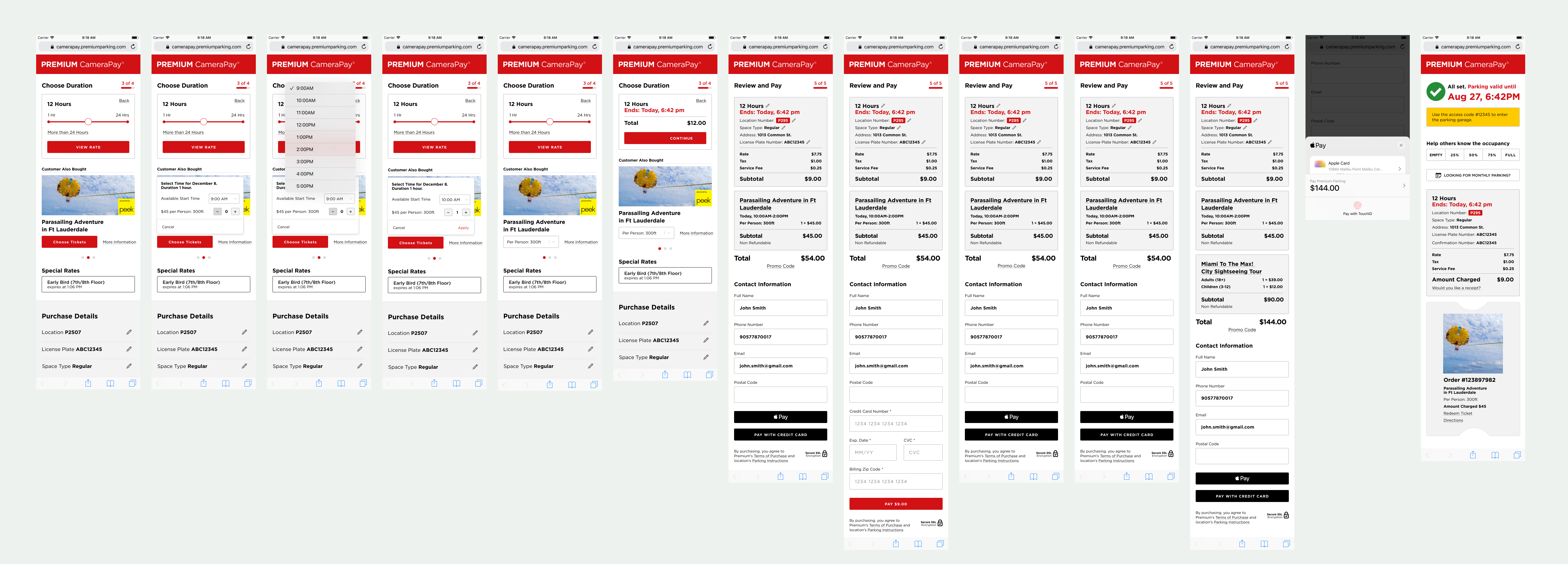
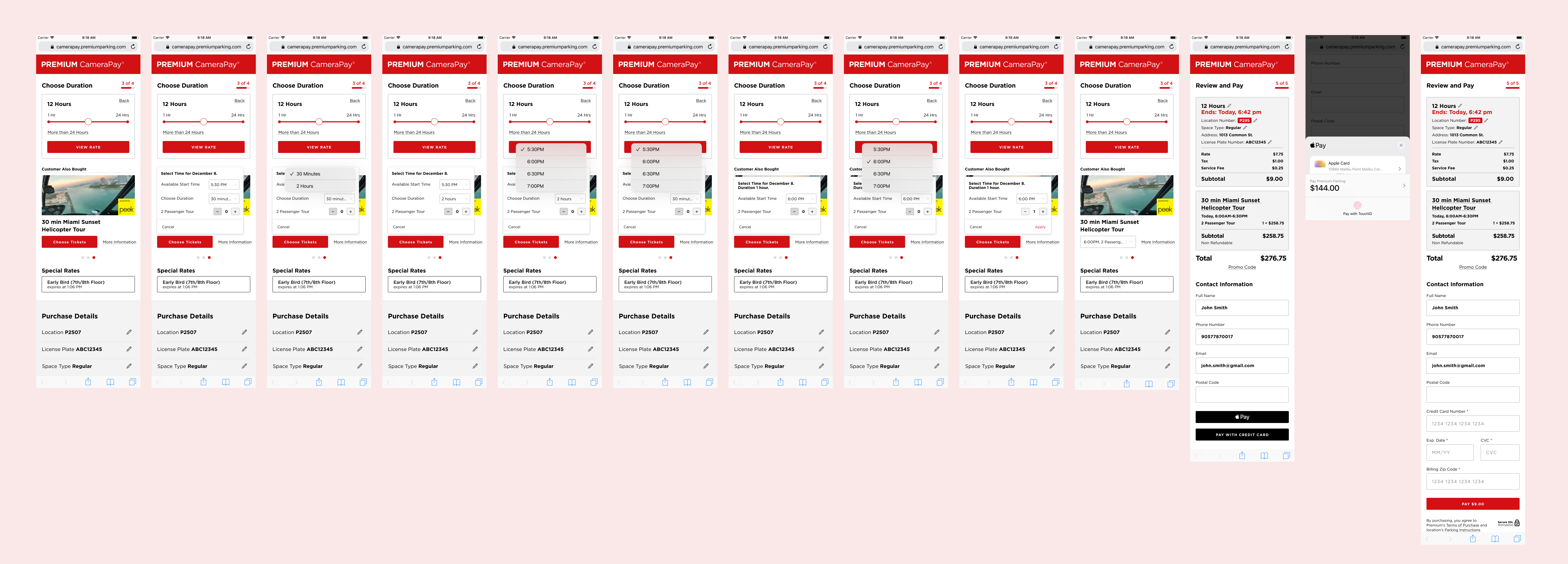
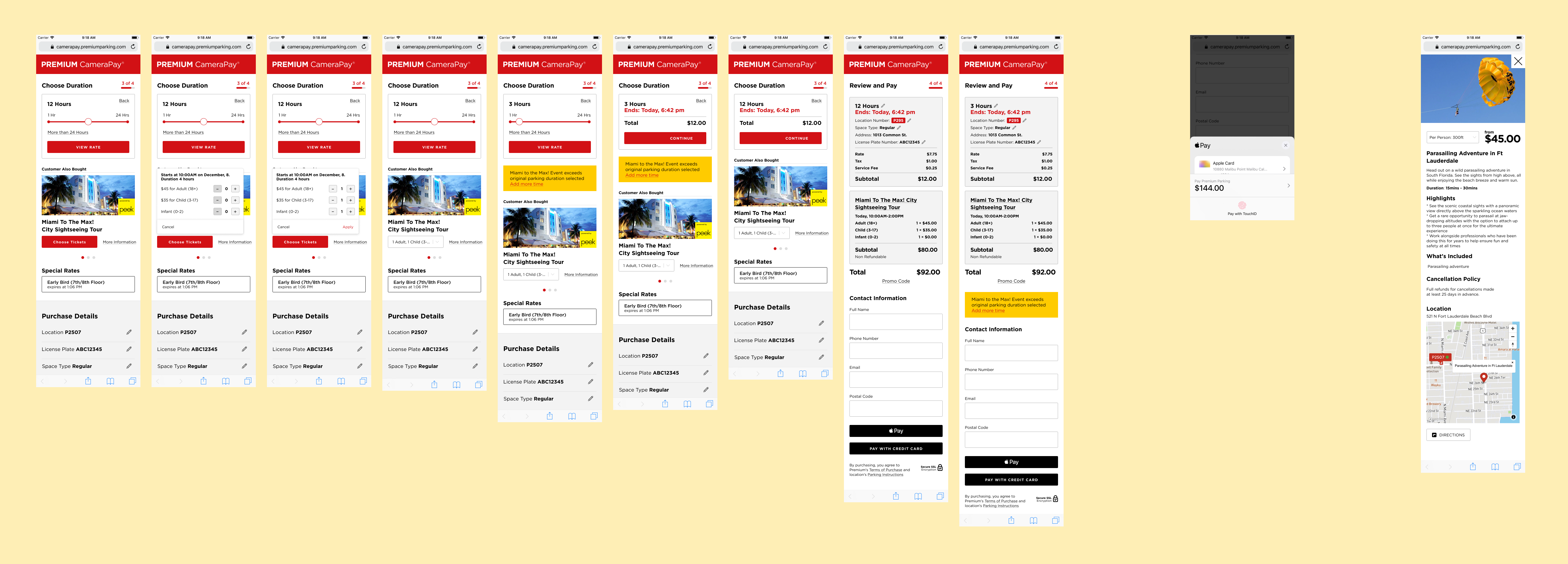
It was important to consider that previously there were no branded locations. So, I've prepared the high fidelity prototypes for different branded locations to show and confirm with clients before upcoming updates.


The core hypothesis of CameraPay
Customers frequently made errors when entering location numbers (due to typos, autocorrect, or sending incorrect numbers), resulting in potential penalties. To mitigate this, we considered hard coding the location number in the QR code, necessitating the need to request the phone number. As a result, the disparities primarily existed in the header and the initial launch screen. This facilitated a rapid and straightforward design and launch process for CameraPay.
Launch and build at scale
After a successful launch, I continued to design new integrations, which helped to continue the growth. The next integration was Localize, which helped to improve communication with non-English speaking customers, launched on CameraPay and TextPay.
The next integrations were launched across all products oriented to customers (TextPay, CameraPay, Web, iOS, and Android apps). It was possible to launch in a short time, because before we have reworked all platforms for flexible integrations.
It always started with exploring the capabilities of the API with the development team. Then, I added new cross-platform components to the design system and expanded the existing ones. Next, I designed all the scenarios for possible tests, and refined them.
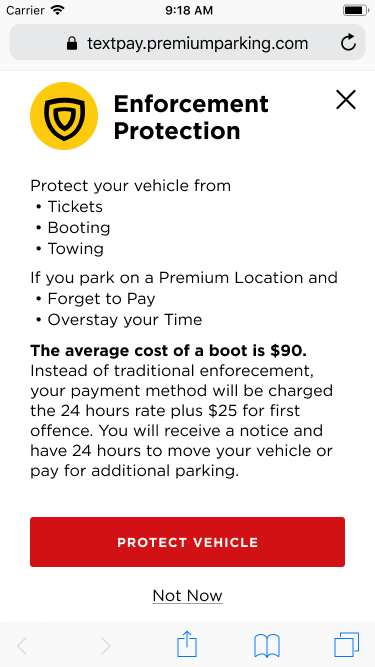
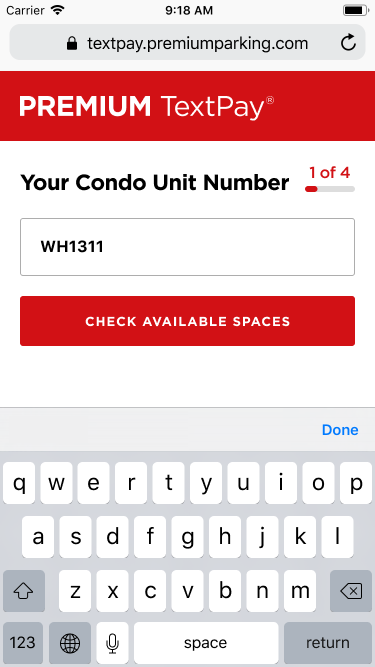
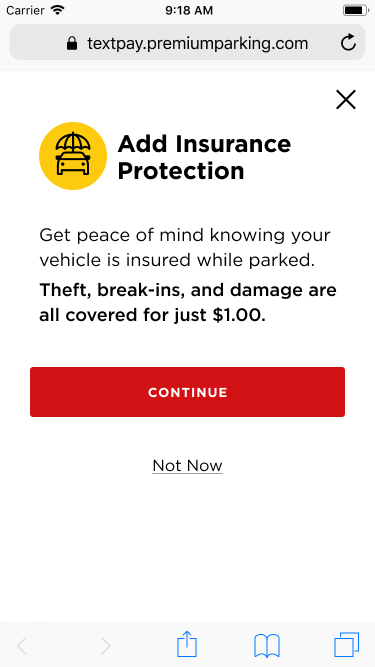
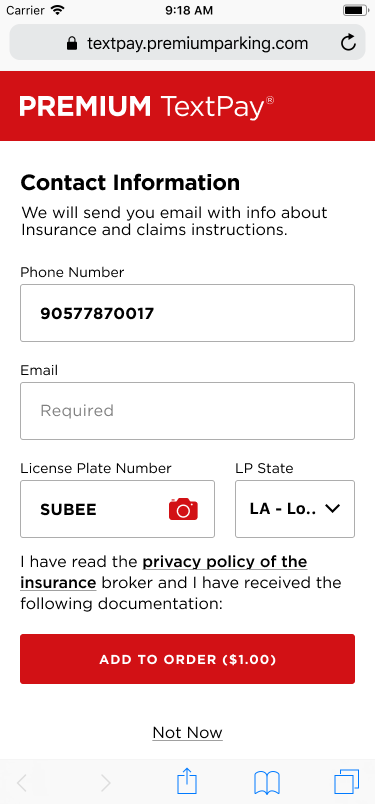
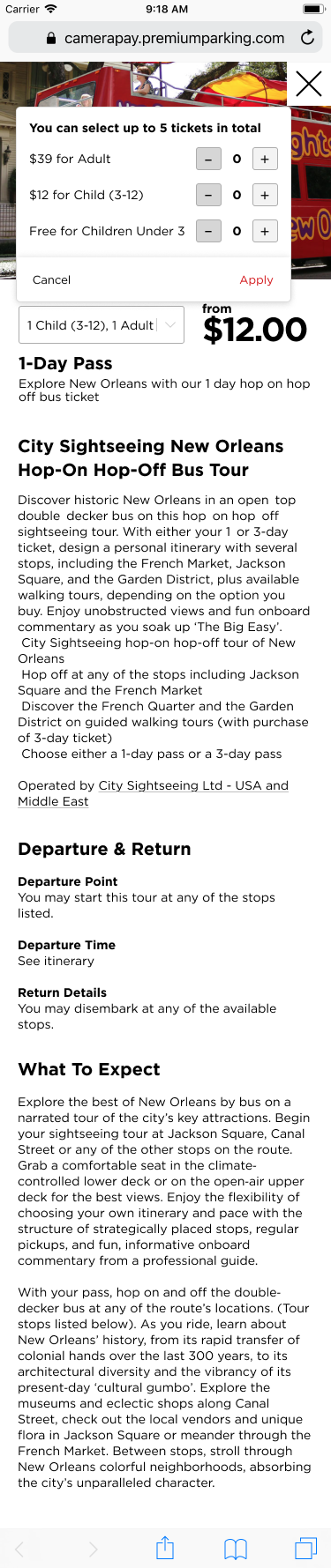
Next integrations were condo hotels, insurance (Neosurance), and enforcement protection. Here are just some screens of TextPay and CameraPay.

Outcomes
- Implemented 5 new integrations (Peek Travel, City Sightseeing, Neosurance, Condo Hotels, Enforcement Protection)
- 12% of new mobile app users originated from TextPay/CameraPay
- Achieved a 20% rise in revenue in the first month after launch
- Transitioned to the Premium Design System